LLM Wiki
A practical look at my local Markdown-based LLM Wiki setup, why I use it, and how it helps me organize and reuse scattered knowledge.
I recently gave a sharing session to my colleagues about my current LLM Wiki setup. After that session, I decided to turn it into a blog post because I think this is one of the few AI workflows worth sharing without too much ceremony.
There is a lot of hype and noise around AI, but every now and then a genuinely useful idea shows up. Not revolutionary, not magical, not “your second brain that will change your life in 48 hours”. Just useful.
For me, one of these ideas is the LLM Wiki.
I first saw the idea circulate after some posts by Andrej Karpathy about personal knowledge bases built with LLMs and Markdown files. The guide I started from was his LLM knowledge base gist.
In the simplest possible terms, an LLM Wiki is a system for organizing your own resources and knowledge. Instead of leaving articles, videos, papers, links, and notes scattered across ten different places, I save them in a folder, let an AI agent read them, and ask it to turn them into a local, reusable wiki.
You do not need a new platform. You do not need a database. You do not need to build yet another personal productivity dashboard that you will use for three days and then abandon with dignity.
All you need is Markdown files, a few clear rules, and an agent that can read and write files.
The Boring Problem
I had the same problem Karpathy described in his own notes: too many things saved, and very little ability to make sense of them later.
In my case, that meant YouTube videos in Watch Later, threads on X, Hacker News links, Reddit posts, technical blogs, downloaded PDFs, and Obsidian notes that maybe contained something interesting, but who knows where.
The point is not just “saving” content. We all already do that. The problem is making sense of it later: finding things again, connecting them, summarizing them without losing the useful parts, and reusing them for study, work, hobbies, or just to remember where a certain anecdote came from.
That is what I like about the LLM Wiki: it does not try to replace studying. It removes friction between what you have already collected and what you want to understand now.
Thankfully, It Is Not a Second Brain
As usual, in my bubble, people tend to exaggerate.
As soon as a workflow works, it becomes “the system that changed my life”, “my second brain”, or “how I solved all my problems with AI”. You know the genre. It is usually optimized for clicks more than for usefulness.
I see it in a less exciting way.
An LLM Wiki is a well-structured workflow for organizing personal knowledge. That is it. In practice, it:
- keeps original sources in one place;
- creates synthesized pages for recurring topics;
- connects concepts with wikilinks;
- lets you ask questions about the material you have collected;
- saves useful answers, so the system improves over time.
The last part matters. The wiki is not just an archive. It is a loop: every new source can update the relevant pages, and every good answer can become context for future questions.
The Structure I Use
My structure is deliberately simple:
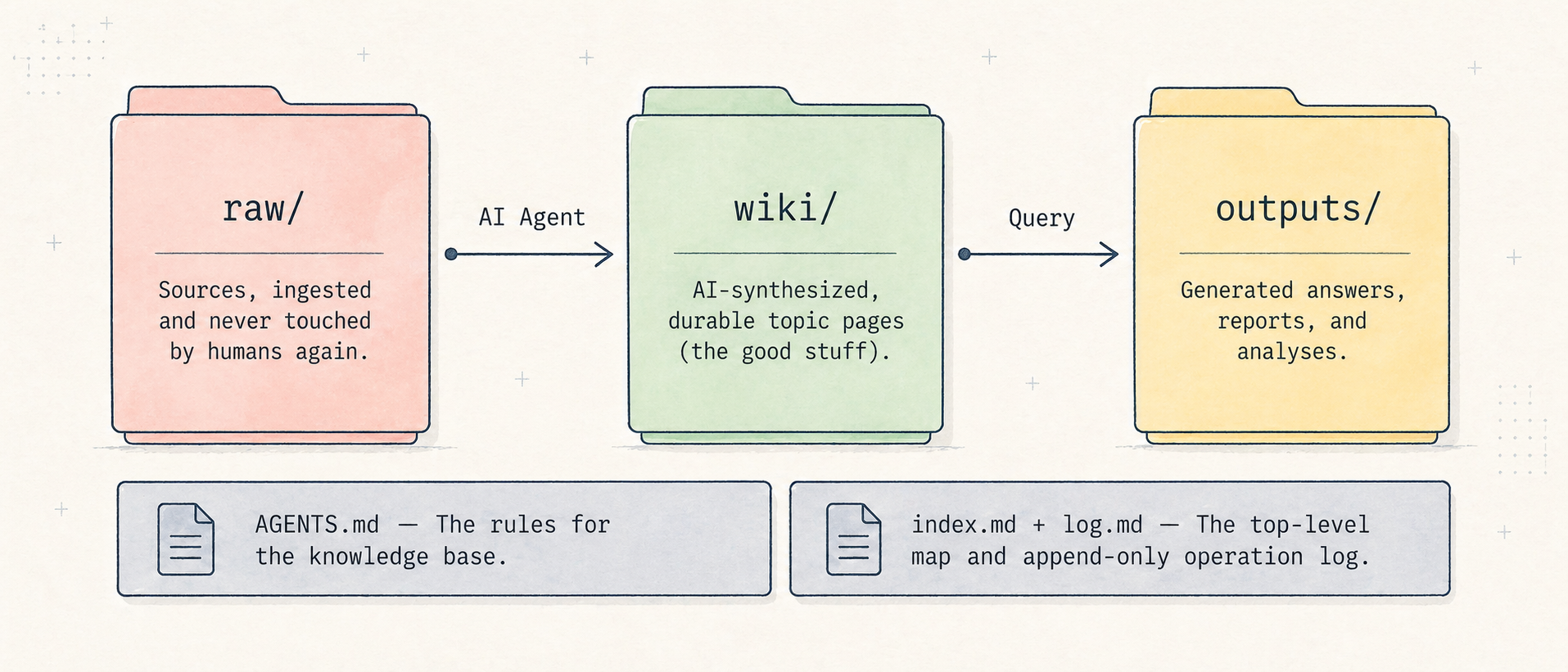
_Wiki/
├── raw/        # original sources, not to be modified
├── wiki/       # synthesized and durable pages
├── outputs/    # answers, reports, slides, one-off analyses
├── AGENTS.md   # operating rules for agents
├── index.md    # general map
└── log.md      # append-only operation log
The flow is:
raw/ -> AI agent -> wiki/ -> question -> outputs/ -> log.mdThe raw/ folder is the messy library: articles, transcripts, converted PDFs, notes, documentation, and anything else I want to preserve. The agent can read it, but it must not modify it.
The wiki/ folder contains curated pages: one page on AI coding, one on prompt design, one on Databricks, one on DuckDB, and so on. These are synthesized pages, not source copies.
The outputs/ folder contains more temporary results: an answer, an outline, a briefing, a Marp presentation. If something becomes important and stable, it can be promoted into wiki/.
log.md tracks what was created or updated. When an agent resumes work after a few days, it can read the log and understand what happened recently.
Another detail that seems minor, but is not, is the index. When the wiki grows, I do not want the agent to read hundreds of files every time. I want it to start from a lightweight map, understand which pages are relevant, and open only those pages. It is the same principle as progressive disclosure: first you give the model a short description, then you let it load the details only if they are needed.
And then the part that makes everything work: AGENTS.md.
It is an instruction file that explains how agents should behave inside the wiki:
- Never modify files inside raw/.
- Every durable topic page lives in wiki/.
- Every wiki page starts with a short summary paragraph.
- Use [[wikilinks]] for internal references.
- Update wiki/INDEX.md when creating or renaming topic pages.
- Append every operation to log.md.
The Tools I Use
My setup is not particularly glamorous. Better that way.
I use Obsidian because my vault is already there and because Obsidian, in the end, is just a UI on top of a folder of Markdown files. I could use VS Code, Vim, or any other editor. The important thing is that the files stay local and readable.
To collect web content, I use Obsidian Web Clipper. It saves a page directly as Markdown, with frontmatter and a link to the original source. It is not perfect, but it reduces copy-pasting a lot.
To search the wiki, I use qmd, a local tool for searching Markdown files with keyword search, semantic search, and reranking. This becomes useful when the wiki grows: instead of asking the agent to read everything, it can start from the index or from a targeted query.
For PDFs and documents:
- opendataloader-pdf, wrapped in a skill to convert PDFs into Markdown;
- MarkItDown, Microsoft’s tool for converting Office files, PDFs, HTML, CSV, JSON, XML, EPUB, and other formats into Markdown.
For YouTube, I use yt-dlp to export transcripts into raw/.
The useful part is that these tools are wrapped in skills or workflows the agent can activate. This moves the problem from “which notes app do I use?” to “how do I turn different sources into readable Markdown?” Once that is solved, the rest of the workflow stays the same.
The Practical Loop
In daily use, the process looks like this.
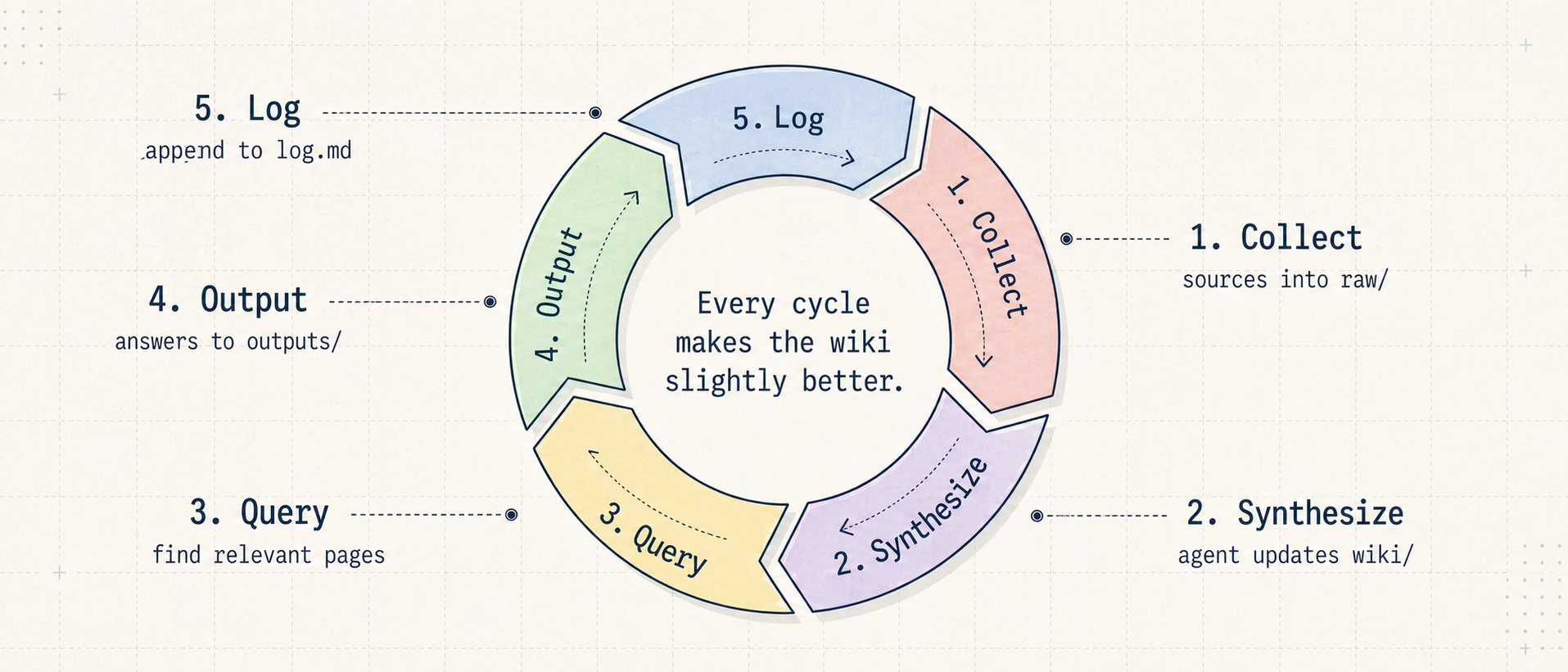
1. Collect
When I find an interesting source, I save it in raw/: an article, documentation page, transcript, PDF, thread, or one of my own notes. At this stage, I try not to be too sophisticated. The important thing is preserving the source, not creating the perfect page immediately.
2. Synthesize
Then I ask the agent to read the new sources, check what already exists in wiki/, and update the relevant pages. The rule is: update existing pages first, create new pages only when needed.
This avoids fifty disconnected micro-notes. A useful wiki is not a dump with blue links. It is a place where recurring ideas get consolidated.
Usually this flow is append-only. If I change or remove something in raw/, I can ask the agent to use log.md, the indexes, and, if needed, git diff to understand what changed.
3. Ask Questions
When I want to understand something, I no longer start only from Google or ChatGPT. I start from my wiki.
Examples: “What are the most recurring patterns in the articles I saved about AI agents?”, or “Prepare an outline for an internal presentation about the LLM Wiki, using only the material already collected.”
The agent reads the index, retrieves the relevant pages, synthesizes an answer, and saves it in outputs/. If the answer contains reusable knowledge, it can be promoted or integrated into wiki/.
4. Clean Things Up
Every now and then, I run a wiki lint. It is not lint in the classic code sense. It is more of a review:
- broken wikilinks;
- orphan pages;
- missing frontmatter;
- topics that are mentioned but never explained;
- stale sources;
- contradictions between pages;
- stale indexes.
This part is less spectacular, but it is essential. If you save outputs back into the wiki, errors can also compound. raw/ remains immutable precisely for this reason: when something smells wrong, I can go back to the original source.
Why Markdown and Local Files
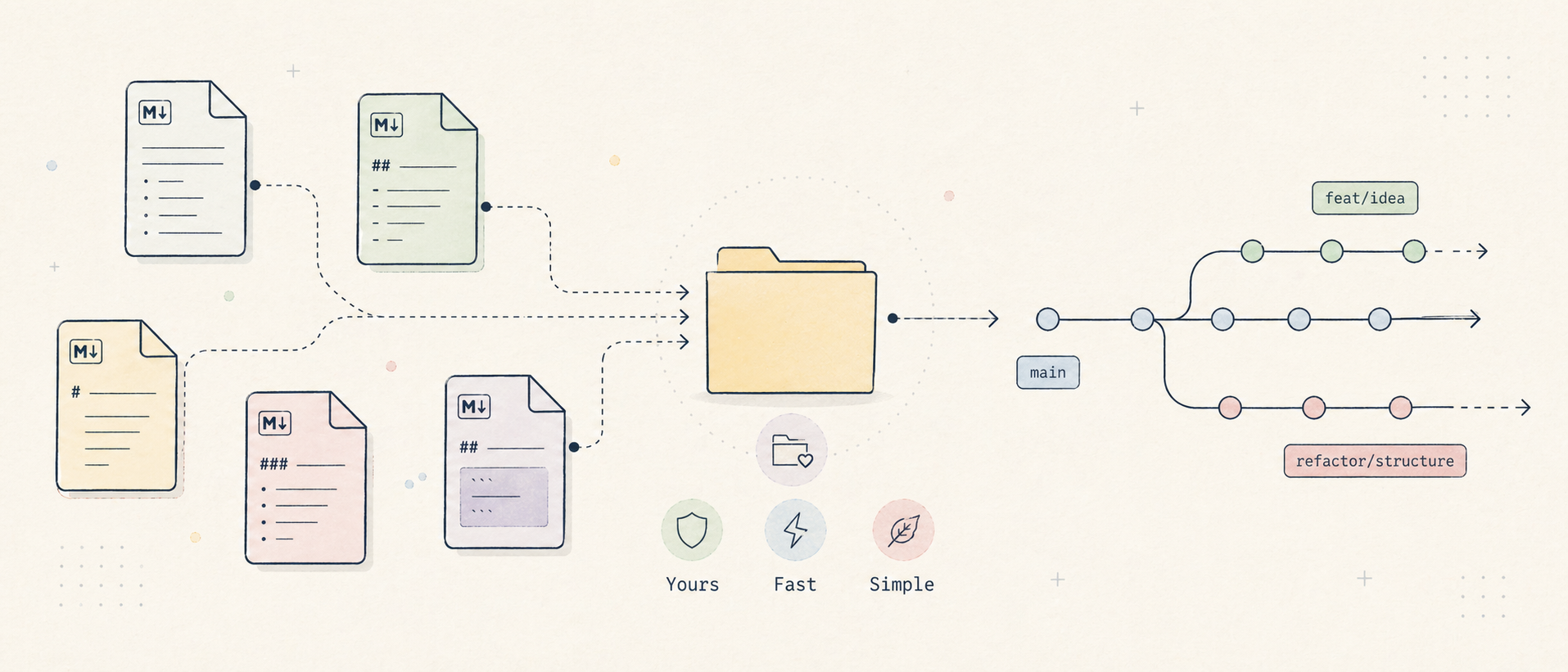
The main reason is portability.
Markdown is text. Git handles it well. Agents read it well. Obsidian displays it well. rg, qmd, grep, sed, VS Code, and terminal tools can work with it without asking for permission.
This makes the wiki much less fragile than a system locked inside a single app.
I am not saying everyone should use Obsidian. Actually, Obsidian is not the point. The point is avoiding a knowledge base that depends on a specific UI. If tomorrow I change editors, the wiki stays there.
For the same reason, I try to keep the structure flat. The more elaborate the taxonomy becomes, the more time I spend arguing with myself about where to put a file. That was not the problem I wanted to solve.
What About NotebookLM?
This question also came up during the sharing session, and it is fair: why do all this if NotebookLM already exists?
For me, the answer is that NotebookLM and an LLM Wiki solve similar problems, but with different trade-offs. NotebookLM is more immediate: you upload sources, ask questions, and get answers. For many cases, that is perfectly fine.
The LLM Wiki interests me because it stays local, transparent, and editable. I can see the files, the sources, and the generated pages. I can use Git. I can switch agents. I can use local models if the material is sensitive. I can also apply it to project documentation, not just personal study.
It is not necessarily better. It is more controllable. That control has a cost: I need to maintain a structure, write decent rules, and do some cleanup. But I prefer this trade-off when I am working with personal or work material that I do not want to put inside yet another cloud service.
How to Start Without Overcomplicating It
If I had to recommend this to someone, I would start here:
- Create a
_Wikifolder. - Inside it, create
raw/,wiki/, andoutputs/. - Add an
AGENTS.mdfile with a few rules. - Put 5-10 real sources inside
raw/. - Ask an agent to create
wiki/INDEX.mdand a few topic pages. - Ask the wiki a question and save the answer in
outputs/. - After a few rounds, run a check for broken links, orphan pages, and contradictions.
I also prepared a reusable initialization prompt for Codex, Claude Code, or Copilot CLI. The idea is simple: point an agent at an empty folder and ask it to create the wiki, the rules, and the indexes.
The Limits
First, an LLM Wiki does not automatically improve the quality of your sources. If I save weak material, I will get well-formatted syntheses of weak material.
Second, agents can invent connections. Usually they are plausible connections, and that is exactly the problem. This is why I keep the original sources in raw/ and often ask the agent to cite which pages it used.
Third, there is the risk of over-engineering. It is very easy to go from three folders to a small personal platform with a thousand rules, scripts, dashboards, plugins, and automations. At that point, you are no longer building a wiki. You are building a different hobby.
Conclusion
I like the LLM Wiki because it does not promise to replace memory, studying, or critical thinking. At least, not in the way I am using it.
It helps me avoid losing what I read. It helps me turn scattered sources into pages I can consult. It helps me ask better questions about the material I have already collected. And it gives me a practical way to make agents work on something more durable than a single chat.
In the end, for me, that is the value: fewer forgotten bookmarks, more knowledge that accumulates.
It is not a second brain. It is a well-kept folder.
And honestly, right now, that is enough for me.